Time-Management-Techniques
Using Your Time Wisely
Simple time-management-techniques for newbie web-site builders are a must. Organization and being prepared is one of the keys to less stress and effective-time-management practices.
These little tips are not geared to those who are highly skilled computer technicians, who can manage their way around their computers blindfolded. This is geared to those who are just starting out with a computer project of some kind and don't know their way around at all.
I remember when I signed up to learn how to build a content based website, and how I struggled not only with the learning curve of the technology I was being introduced to, but more because I wasn't prepared very well in terms of how to keep track of anything. And, there was quite a bit to keep track of.
One would think, coming from an office background like I do, I would have been better prepared with my own time-management-techniques, but I just wasn't.
Working on a content based website perhaps, and beyond emailing or surfing, don't know much at all about computers or their programs? These time-saving-methods for staying better organized and focused can relieve much of the frustration as you work away on your project.
Tackle it "old school" (for now) using basic office-type organizational practices. And if you don't have an office-type background, these pointers may be even all the more use to you.

No doubt, your time will be spent researching materials, writing, joining sites for a variety of purposes that require login information, and much much more.
I would suggest a few must-haves and time-management-techniques to use right off the bat, which will make life much easier.
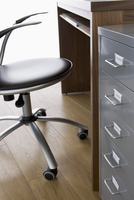
A desk with a special drawer for files? You can even buy a little desktop stand-up box for files for $10.00 at any office supply or major department store. Get one, and some file folders.
Use file folders to begin to keep track of different ideas for different subjects you want to build pages about.
File copies of the content pages you have written. File your lists of keywords, and "business" information. Get something going along these lines started to file away anything you want.
Keeping up with and actual "filing" is a very effective-time-management habit, as something you are looking for is in one place and available almost immediately.
I ask for the paper at my job that is going to be recycled. I don't care about what's on the front. I just use the back for printing my own things, or making pads of scrap notepads.
I have also brought home some old file folders that were headed out for recycling. They were a bit ratty for sure. Doesn't matter to me though what they look like, and it saved me from having to buy them.
A blank notebook keeps track of usernames and passwords I use for different accounts I have in regard to a variety of must-haves like a Google account, places to get photos, and Article Directories I sign up with.
Know your website building program information and payment information. Of all the time-management-techniques, this is important. Have it handy at all times, as you will be asked for your account number or identification when you need to ask questions of your support or help-desk.
This list goes on, but the point is, you can and most likely will end up with a mass of user-names and passwords swirling around in your head, and you won't remember them all. Or, you won't be able to find the scrap of paper you wrote them on, just when you need them. Keep this handy on your desk for quick access to refer to or continuously add to. It's a great time-saving-method and you will need it many times over.
A daybook keeps track of what I have to do or have done in terms of responding to someone, looking up something, jotting down an idea or just as a reminder to myself about something relevant.
I use a calendar to mark different things I have to do or should be thinking about in terms of seasons, or holidays that are approaching and how they are relevant to my site material. I use it as an overall "at a glance" long-term tool.
A dry-erase board with or without a calendar, or a cork-board is very handy as well for reminders.
Binders are a wonderful thing to have handy at your desk for keeping track of permanently valuable printed learning materials as you go along.
You can use them as well as files to keep track of places to get photos, videos, directories you will apply to, and articles you may write for them. You can use them to keep track of Affiliates you may eventually sign up with.
I put one binder to good use by printing off types of coding I learned. I actually bought a stand-up plexiglass frame that sits on my desk and has the most common types of coding written on both sides that I refer to most when building pages.
Have a few basic office supplies handy, like a stapler, pads of paper, stickie notes, a hi-lighter or different colored pens or markers, and a file tray or a basket to put papers in when you are finished with them.
Keep a good eye on your printer ink for any type of project.
Have a dictionary, a thesaurus and a decent lamp on your desk.
Can't leave out the comfortable chair, because for those who work
on computers daily, so much of your time is spent in a chair and if you aren't comfortable, you are less productive.
These are all just simple time-management-techniques to start off being somewhat organized as you begin your project, whatever it may be.
As you progress, certainly you will learn more sophisticated ways of utilizing your computer and the programs out there for use from your desktop if you prefer.
Personally, I do like hard copies, so I tend to stick to some of these methods. Computers crash, and not everyone backs up info like they should.
Being organized and using time-management-techniques helps me stay focused and I work much more efficiently, without the distractions of a mish-mash of papers and notes. Not knowing what's where when it's needed is a terrible time-waster.
Leave Time-Management-Techniques
Return To WAHMS Supplementing Incomes
Return To Carbon Footprint Defined Home Page



Thanks For Your Support
Green Maven!

Popular Tips
Recycling Tips
Garage Sale Tips
Laundry Room
Green Travel
The Company Money
Eco-Baby Gift
Make A Diaper Cake